![Web-colour (1).png]](https://support.loylap.com/hs-fs/hubfs/Web-colour%20(1).png?width=104&height=50&name=Web-colour%20(1).png)
1) Go to Admin Portal, find the Merchant who has the WLA and then click app settings.
2) Click on 'White Label App' settings, and then enable the feature for 'Requires Login' 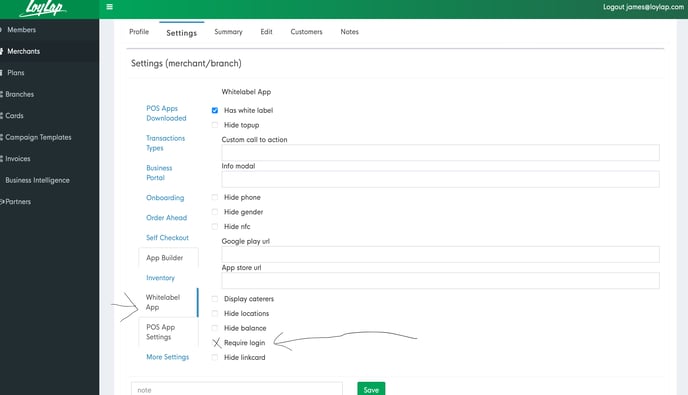
1) Go to Admin Portal, find the Merchant who has the WLA and then click app settings.
2) Click on 'White Label App' settings, and then enable the feature for 'Requires Login'