![Web-colour (1).png]](https://support.loylap.com/hs-fs/hubfs/Web-colour%20(1).png?width=104&height=50&name=Web-colour%20(1).png)
1) To complete a sale for a Hays Physical Gift card, they'll need to log into merchant.loylap.com
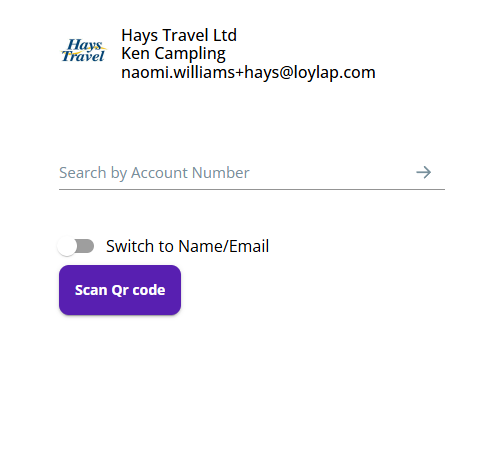
2) They'll then need to type in the number from the back of the physical card into the Account Number field, then click on the green arrow to proceed.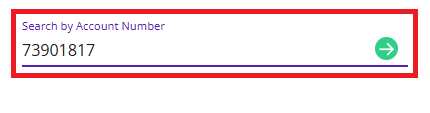
After entering in the name details for the customer, the Hays Employee will be shown the below screen.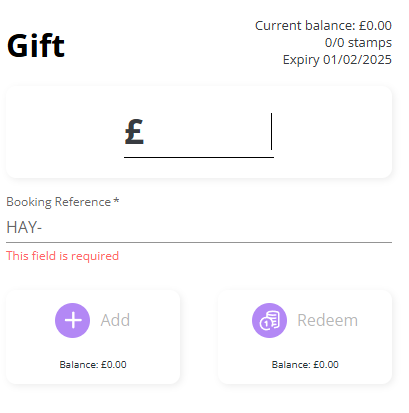
The value input into the field will be the amount to be added to the card. So we'll look to add £100 to this card. You'll see below the Add & Redeem options a preview of the balance, based on the action being taken with the £100 value.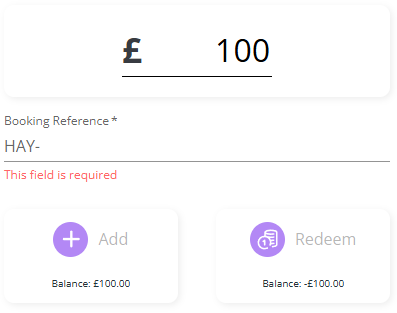
3) A booking reference is required to complete the transaction. This is a value generated from hays internal system isell. This is used so they can reference sales against our vouchers. The reference is 7 digits long. You can see after this is entered the transaction can be completed.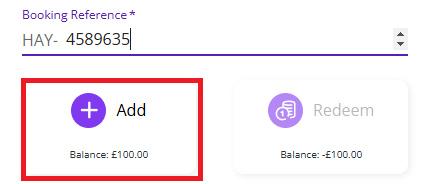
4) After clicking on add the below prompt will be shown to confirm a successful transaction.