![Web-colour (1).png]](https://support.loylap.com/hs-fs/hubfs/Web-colour%20(1).png?width=104&height=50&name=Web-colour%20(1).png)
1. Log in to the Loylap Admin portal: https://admin.loylap.com/
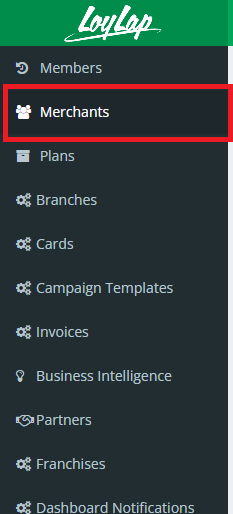
2. Navigate to the “Merchants” section.
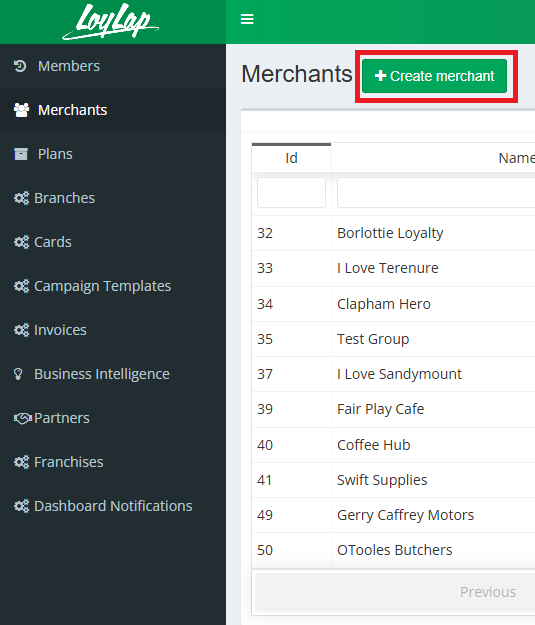
3)Select 'Create Merchant'
4. Enter the new merchant’s details in the fields provided.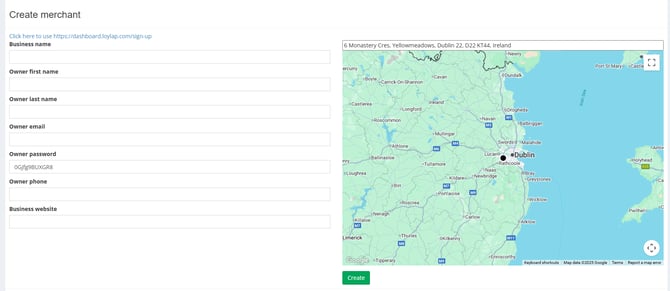
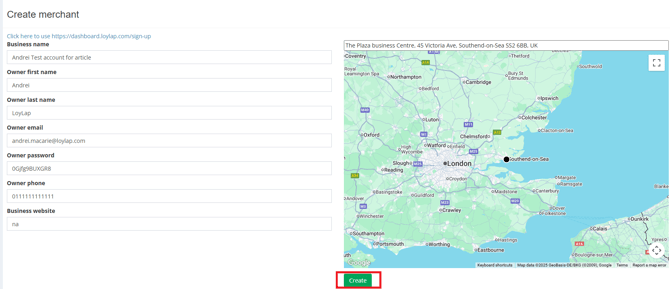
5. Click “Create” to complete the setup.
1. Log in to the Loylap Admin portal: https://admin.loylap.com/
2. Navigate to the “Merchants” section.
3)Select 'Create Merchant'
4. Enter the new merchant’s details in the fields provided.
5. Click “Create” to complete the setup.