![Web-colour (1).png]](https://support.loylap.com/hs-fs/hubfs/Web-colour%20(1).png?width=104&height=50&name=Web-colour%20(1).png)
Step 1) Find Merchant in Admin portal
Step 2) Open Settings, followed by 'POS App Settings'
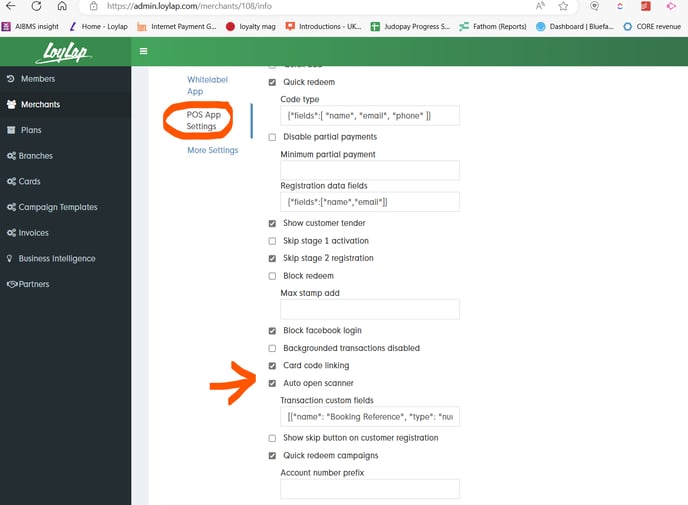
Step 3) As shown in the image below, enable 'Auto Open Scanner'
Step 1) Find Merchant in Admin portal
Step 2) Open Settings, followed by 'POS App Settings'
Step 3) As shown in the image below, enable 'Auto Open Scanner'